Chapter 17 Common Types of Attacks
| Site: | ApexMoodle |
| Course: | Audit |
| Book: | Chapter 17 Common Types of Attacks |
| Printed by: | Guest user |
| Date: | Saturday, 21 March 2026, 10:30 PM |
1. Common Types of Attacks
Audio
Transcript
So, we're going to begin Chapter 17 and discuss Common Types of Attacks.
2. Technology Based Attacks

Audio
Transcript
The first kind of attacks that we are going to discuss are Technology-Based Attacks.
2.1. Denial of Service (DOS)/Distributed Denial of Service (DDOS)
Audio
Transcript
So let's talk about denial of service or distributed denial of service attacks.
So that's exactly how it sounds.
It's a hacker that normally attacking a website to try to deny service to the users or to the company.
They're trying to crash it.
So Denial of Service Attack
We're going to go over a couple of these.
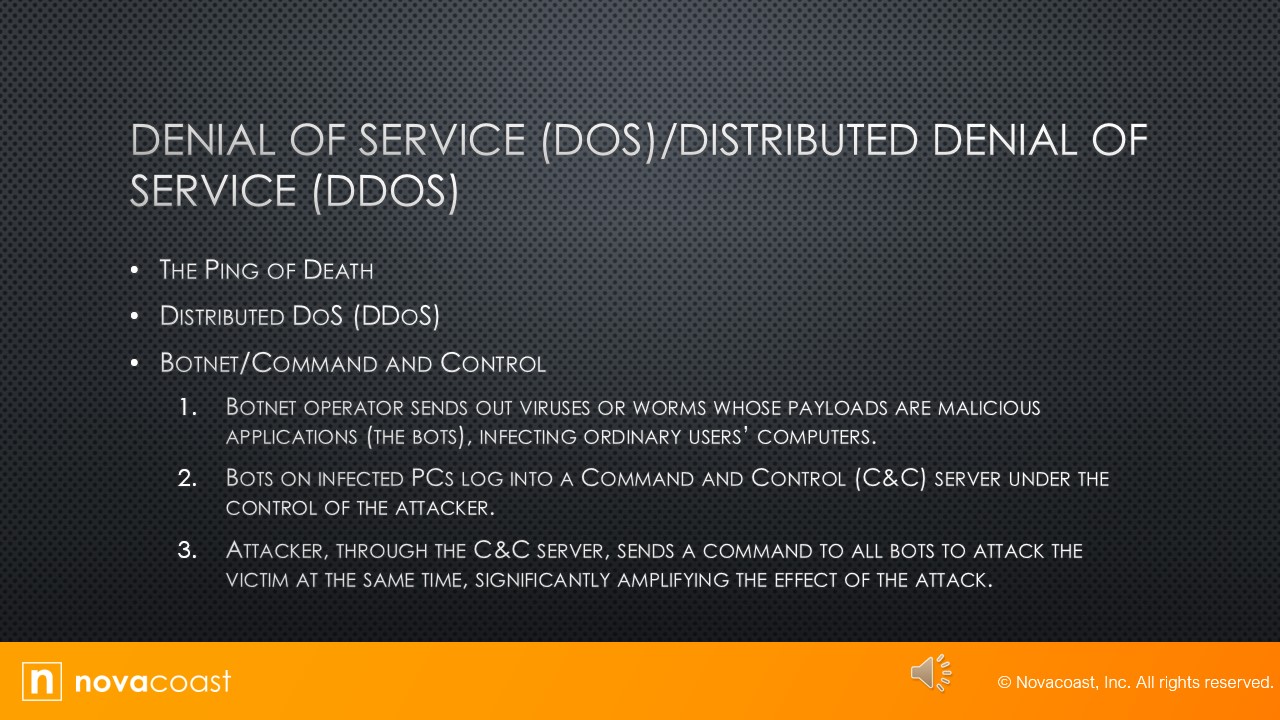
The first one is called the Ping of Death
So, Ping is a command.
You can go to command line on a Windows machine or a Linux machine and type in a ping command and you tell it what IP address you want to ping, and it basically reaches out to that IP address, sends it packets and waits to see if they bounce.
Tells you how many packets were sent, how long it took them to bounce back.
One isn't a bad thing.
One even left continually running probably wouldn't affect the system.
But when you do that hundreds or thousands of times using bot Nets and things like that, you can crash a service by sending out all those pings.
So I'll give you the textbook definition.
But that's basically what it is.
Pinging is primarily used to see whether a computer is responding to IP.
Usually when you ping a remote host, what you're really doing is sending 4 normal sized Internet Controlled Message Protocols, they're called ICMP packets, to the remote host to see if it's available.
But during a ping of death attack, humongous ICMP packet is sent to the remote host victim, totally flooding the victim's buffer and causing the system to reboot or helplessly hang drowning.
And it's good to know that patches are available for most operating systems to prevent the ping of deaths from working.
So that's another way to do it is to instead of having you know lots of, I've seen it both ways.
Lots of bot Nets sending thousand pings a second, is to have oversized pings or giants, as we talked about a few slides ago or a few chapters ago, to a system to crash it.
Then talking about distributed DoS or DDoS attacks.
It's a Denial-of-Service Attack that can be made more effective if they can be amplified by recruiting helpers, and the attack process.
In the following section, some terms and concepts that apply to DDoS attacks are explained.
Basically, it's being attacked by more than one person, more than one computer really.
You can have, if you have a big enough system, a bunch of virtual machines.
You get enough of your friends with a bunch of virtual machines or bad guys.
A group of bad guys that are, say, trying to bring down a website for whatever reason.
You get all your friends to help you and you flood that, right?
So, it's not like one person requesting information.
It could look like thousands.
I've been in a DDoS attack where the IP address and Web page was hit 1000 times per second.
So basically, these people are setting up scripts to have their computers hit that website multiple times, just over and over and over, repeating loop
So that is a DDoS.
Something you need to know is Botnet Command and Control.
So, botnet is a group of programs connected on the Internet for the purpose of performing a task in a coordinated manner.
Some botnets, such as those created to maintain control of Internet relay chat channels, are legal.
While others are illegally created for DDoS attacks
An attacker can recruit and build a bot net to amplify the attack.
Basically, what I said is they will get all their little buddies to attack your site and you'll get hits.
Lots and lots of times.
So, a botnet operator sends out viruses or worms whose payloads are malicious applications.
The bots infect ordinary user computers, but they could just be overloading a website with requests.
Also, the bots on the infected PCs log into a server called a Command-and-Control Server until under the control of the attacker.
So, botnet will get into a server that has command and control of your network and they try to take it over.
At the appropriate time, the hackers, through the CNC server, send the command to all bots to attack the victim at the same time, thereby significantly amplifying the effect of the attack.
So that's something that the bad guys will do, is they will get into your system but not do anything.
They want to see if they're going to be noticed.
Did anybody catch us cracking into the system itself?
They may wait 30 days, 60 days, 90 days, depending on what they're trying to do.
I know of a school system here in Michigan where the hackers hacked into their system, and their accounting system, payroll system, and they were watched for months.
The traffic, the emails, all that stuff.
And when they gained enough knowledge, they sent out an attack that drained over a three- or four-month period, a million dollars out of a payroll account.
So just because you get hacked doesn't mean the hackers are going to attack you right away. They may wait.
2.2. DOS & DDOS Continued
Audio
Transcript
OK, let's continue to talk about DoS and DDoS.
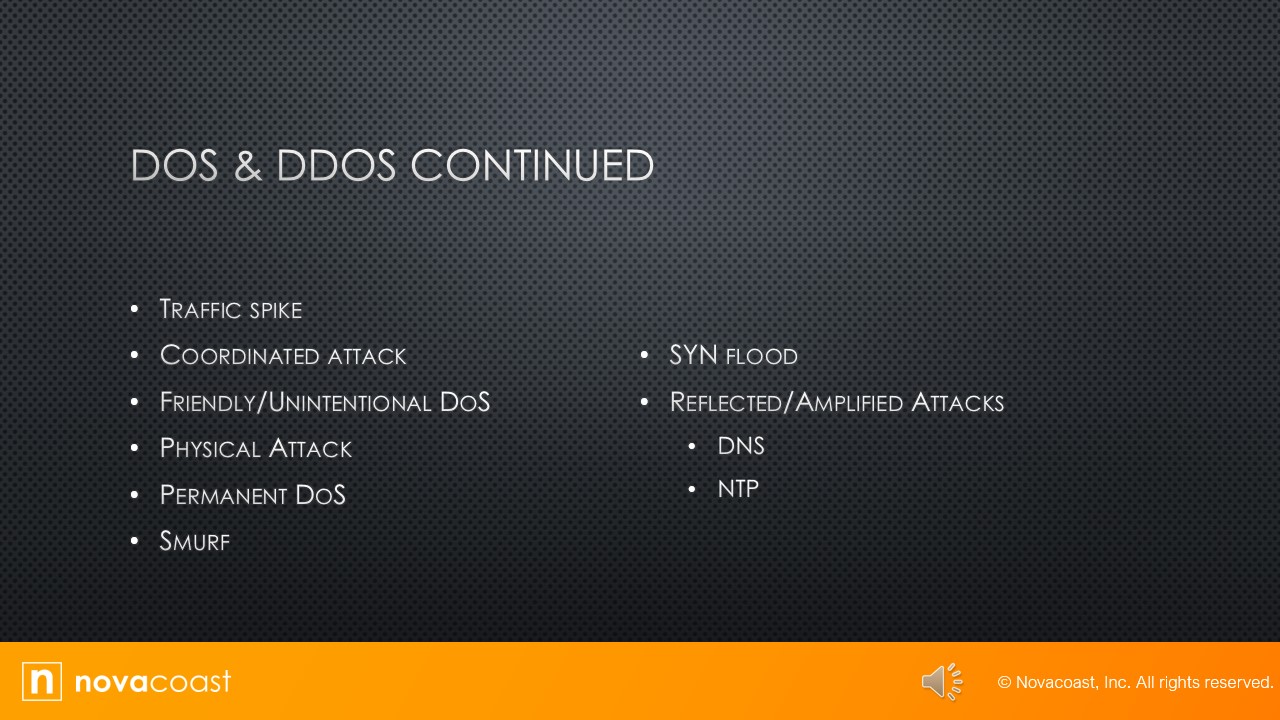
One of the red flags is a traffic spike.
Say you're used to getting a hundred hits per hour at your website, and now you're getting 100 per second.
You know that big jump, your website is not able to handle that.
But that's a flag.
I talked about the one that I worked at, that was 1000 hits per second, is that traffic ramped up that.
That spike was a red flag.
Flagged as to what was going on easily, once we looked at the data to tell that we were getting a DDoS attack.
So, another thing is a coordinated attack and it's an unmistakable feature of the DDoS attack, is the presence of a coordinated attack.
It is like botnet command and control.
And to properly amplify the attack, the bots must attack the victim at the same time.
The coordination of the bots is orchestrated by a command-and-control server.
So yeah, they're all hitting at once.
During that big attack that I worked on, I think we had a list of 200 IP addresses that the attacks were coming from.
They used VPNs, so they looked like they were from all over the world.
Who knows where they really were?
How you stop that is you go through and block those IPs from coming in.
But in the meantime, the damage is being done.
So, a coordinated attack is, they use one server to coordinate and all the botnets attack at once.
Then there's friendly, unintentional DoS attacks.
We're also called friendly fire.
It's not caused by malicious individuals.
Instead, it's a spike in activity to a website or resource that overpowers its ability to respond, in many cases as a result of relatively unknown URLs suddenly becoming shared in a larger medium such as TV.
So, if you have a website, say, selling a product, and an Internet influencer, or something else, says, “Hey, I love this product,” well, your site may get hit with a lot of traffic that it's not prepared to handle.
It's not malicious, but it's going to overload your website.
None just the same.
Then there's physical attacks.
Physical attacks with those that cause hardware damage to a device.
These attacks can be mitigated, but not eliminated, by preventing physical access to the device, routers and switches, firewalls, servers, and other devices should be locked away and protected by strong access controls.
So yeah, you want all that equipment locked up in a room.
You want it monitored as to who can go in there and can't.
Part of this is your training and documentation.
You want your team to know who belongs in there and who doesn't and that comes in there.
You want your team to step up and say, “Hey, what are you doing in here? You need to leave,” or call security.
Whatever your procedures are.
But that's the way you present a physical attack.
I travel from office to office.
In our company, a lot of times, people won't know who I am, especially if they're a new hire since I've been there last, and we will intentionally send me in to see how far into the office I can get before somebody challenges me, or somebody recognizes me.
Depending on where I'm at in the office, I've walked into an office that the SOC was in a different location, but I was able to go into where our developers and engineers were helped.
Help desk guy let me in.
He's brand new, didn't know who I was, but I knocked on the door, acted like I knew what I was doing.
He never asked for my name.
Never questioned what I was doing, but I could have found my way to a server closet and committed a physical attack in that.
So then there's permanent DoS.
That's an attack in which the device is damaged and has to be replaced.
Requires physical access to the device, or it can be virtual.
You don't have to be able to get into the device to destroy it.
You can send in packets that will attack the firmware called phlashing packets.
When you update firmware, you're updating it, but you can phlash it, and that's flash with a P, and that will wipe it.
So that's a permanent DoS attack.
Another attack, it's called a Smurf, and not the little blue guys that you see on TV.
It's a version of a DoS attack that floods the victim with spoofed broadcast ping messages.
I'll talk about spoofing later, but for now, understand that it basically involves stealing someone else's IP address.
They will steal other IP addresses and hit you with ping attacks.
So that's called a Smurf attack.
The bad guy spoofs the intended victims IP address, and then sends a large number of pings to IP broadcast addresses on the receiving router.
Responds by delivering the broadcast to all the hosts and the subnet and all the host responds with an IP ECHO reply.
So, in that version, they will spoof your website, they will send out multiple ping requests to broadcast sites.
And when those broadcast sites come back, they're broadcasting to all of your hosts, and then all of your hosts are sending out replies.
That's flooding your system with Ping requests.
So that's another type of a Smurf attack.
A SYN Flood:
That's S-Y-N.
When we were talking about the OSI model, we talked about SYN/ACK, SYN, SYN/ACK, and those commands that you'll see in your Internet traffic.
So, SYN flood is a DDoS attack.
More it indicates the receiving machine with lots of packets that caused the victim to waste resources by holding connections open.
In normal communications a workstation wants to use TCP/IP, where the server sends a TCP/IP packet with a SYN flag.
The server automatically responds back with a SYN/ACK.
In a SYN flood the attacker sends a SYN, the victim sends back a SYN/ACK and the attacker leaves the victim waiting for the final ACK while the server is waiting for the response.
A small part of memory is reserved for it.
As the SYNs continue to arrive, so basically, they keep sending SYNs and when you send the SYN/ACK, they don't ever send the ACK back.
If you're seeing network traffic like that, I've seen 100 SYN commands come in, and that's taking up memory that's waiting for that response.
Then the last thing that we'll cover on this slide is reflected and amplified attacks.
So, one is DNS.
So, a reflected amplified attack increases the effectiveness of a DoS attack.
Two of the more effective of these attacks are called DNS and NTP.
DNS amplification attack is a form of a reflection attack, in that the attacker delivers traffic to the victim by reflecting it off of a third part.
Reflection conceals the source of the attack.
It relies on exploitation of publicly accessible open DNS servers to deluge victims with DNS response traffic.
So, we talked about like Google, they have two open public DNS servers, 8.8.8.8 and 8.8.4.4, and people can use those to deluge a victim with DNS queries.
So that is the way the attacker sends a small DNS message using the victim's IP address as a source to an open resolver.
The type of request used returns all known information about the DNS zone, which allows for the maximum level of response amplification directed to the victim server.
So, it's sending out a DNS request and then reflecting back all that data, taking up space on your server.
And it's not bad if it's one, but they use multiple.
Botnets command and control, to do these attacks to take down your equipment.
So then the other one is called NTP reflection attacks, and uses the same process of recruiting bots to aid the attack.
The attacks are not reflected off DNS servers.
They're instead reflected off of Network Time Protocol servers.
These servers are used to maintain time synchronization between devices and a network.
The bad guy sends out a small 8-byte packet, UDP packet to a vulnerable NTP server that requests a large amount of data to be sent to the target IP address for the DDoS to take effect.
So that's how that attack handles.
NTP is a time server that synchronizes your network, and they will attack it by sending out a request and flooding your servers with information.
2.3. On-Path Attack
Audio
Transcript
So the next thing we're going to talk about is an On-Path Attack.
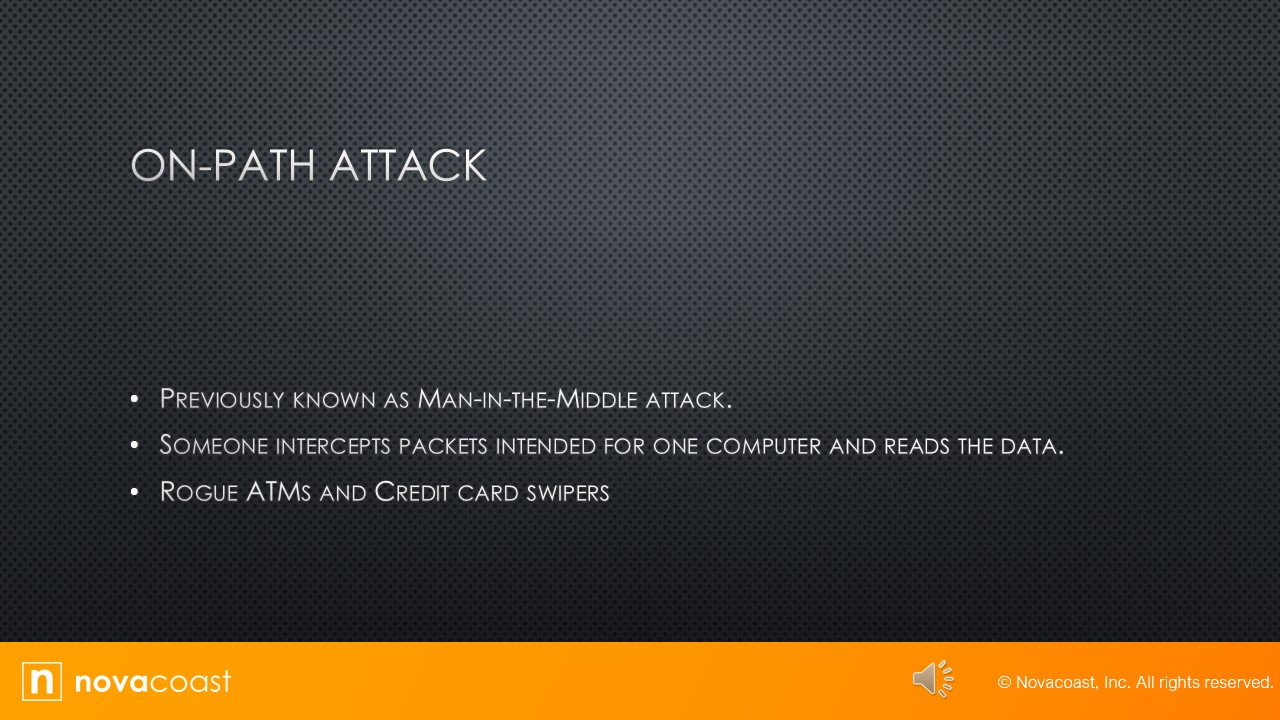
This used to be called the Man-in-the-Middle attack, still is, but for the test, you need to know On-Path Attack.
In this attack a person positions themselves between two computers.
It intercepts the packets that are intended for one, it reads the data, then sends it on.
So basically, it's not keeping the data from going where it needs to go, it's just capturing that data and then using it for nefarious reasons.
Examples of that are rogue ATM or credit card swipers.
It's a device that can be plugged into an ATM, and when you swipe your card, it reads that, it reads your card and it steals all the information off of it, but the bank it still gets the information for you to be able to use the ATM.
So, unless you know they're there or know what to look for, you may never know that you were a victim of a swiper.
Gas stations are notorious where somebody will come by and put one on the pump.
When you put your card in, it reads all that information as well, and then the bad guys have your credit card information.
They might get your pin, et cetera, but that's what an on-path attack is.
It doesn't have to be just a credit card swiper.
You can position yourself in between.
If you can get into a network, you may be able to get between two computers that are exchanging data.
So, I talked about that school where the bad guys hacked in, and basically they were reading emails, they were intercepting emails and reading them to learn how the school operated, what its procedures were for payroll and then sending those emails along.
And then when it came time for them to do their attack, they knew what they were doing because they had read all this information.
Same thing, but a credit card swiper is a really common way today.
Whenever I get out at a gas station or an ATM, I shake the card reader to see if it will come loose or not, so that's one way of doing it.
But anyway, those are those types of devices.
It was called a man in the middle attack.
Still is by most people in the industry, but for test purposes it's the on-path attack.
2.4. DNS Poisoning
Audio
Transcript
So let's talk about DNS poisoning.
DNS clients send requests for names to IP address resolution.
So when you type in ESPN.com, what DNS does, is says “Oh, ESPN.com is at this IP address,” and it gets you to the correct IP address so that you don't have to remember every IP address that you go to.
What they do in DNS poisoning is the attacker will attempt to refresh or update records on a different address than the correct one.
So, say you think you're going to your company's website, it will try to redirect you to a fake site, so it gives a fake site address.
Those sites are going to look identical.
They will have spoofed to copy everything about your company website, right.
They use it to steal name and password combinations.
So, say you get to the site and you got to log in, you're going to log in your name and password, a lot of times it'll come back giving you an error message like you can't be logged in.
Sometimes it will bounce you from there to the correct page and it looks like you're having to log in again.
So, but they're really good for stealing passwords.
Sometimes it'll be they'll send the thing out where you try to go to your e-mail server, and they'll redirect you to another source, and then you put in your e-mail passwords, and then they steal that information.
Banking, anything that they can use.
And this is golden stuff because a lot of people use this the same username and passwords across multiple sites.
So, if I get your login information to one site, I might try multiple other sites to see if I can gain access.
Steals name and password combinations that are entered into the fake site.
DNS servers should be limited in the updates they accept.
So you can put in controls as to what updates can be done to a DNS server and then you can restrict DNS servers from which the server will accept updates.
You can put in those restrictions so that your DNS server can only be updated by sources that you know are authentic and trusted.
But that's what they try to do in DNS poisoning.
They tried to redirect you to a fake site so they can steal your information.
2.5. Other Technology-Based Attacks 1
Audio
Transcript
So let's talk about some other attacks.
One is called VLAN hopping.
So that's where the bad guy tries to redirect your packets to the wrong VLAN.
How they do this is when your information is sent, it is sent with a tag in it as to where it should be going.
The bad guy will put a second tag in it to redirect it to the wrong VLAN, so that is VLAN hopping.
Another thing is called ARP spoofing.
This is similar to DNS poisoning, but the ARP table keeps track of Mac addresses, not IP addresses.
So it usually entails an ARP cache poisoning.
Our cache poisoning is usually part of it, on-path or man-in-the-middle.
SAC the ARP cache contains IP to Mac address mapping that the device has learned through the art process.
One of the ways the cache can be poisoned is by pinging a device with a spoofed IP address, and this way an attacker can force the victim to insert an incorrect IP address to Mac address, mapping it into the ARP cache.
So, they're trying to get into your ARP, but just like when you're sending stuff to spoofed IP, you'll be sending stuff to a spoofed Mac address to a spoof end user.
And then a rogue DHCP:
Dynamic Codes Configuration Protocol, that's protocol that issues out IP addresses in the network, so an illegitimate one.
Will introduce the network to unsuspecting hosts.
Will send out illegitimate DHCP information such as IP address, subnet mask and default gateway address.
They can also issue an incorrect DNS server which will lead to the host relying on the attackers DNS server for IP addresses of websites like banks.
They're trying to steal your information.
This will lead to phishing attacks.
So, then another one is called a Rogue Access Point.
These are access points for Wi-Fi.
One of two things, either bad guy sneaks in and stashes one, or an employee trying to gain access for Wi-Fi sets one up which should be really, really non-intelligent.
It might be the correct way to say that.
But basically, it's an access point that you don't know is on your network.
Basically, it's like having a window open.
The bad guys can just climb in.
And the way you can handle that to mitigate it is to use wireless LAN controllers to manage your AP's because they will communicate using light access point protocols.
So, there's some authentication there.
So, you want to use Wireless LAN controllers on your AP system.
To prevent somebody from just plugging one in and being able to access your network.
Another one is called the evil twin.
An evil twin is an AP that is not under control but is used to perform a hijacking attack.
A hijacking attack is one in which the hacker connects one or more of your user computers to their network for the purpose of peer-to-peer attacks.
The attack begins with an introduction of an access point that is under the hacker’s control.
The AP will be set to use the same network SSID that your network uses, and it will be set to require no authentication, which creates an open network.
Moreover, the AP will be set to use a different channel than the AP that's under your control.
To understand how this attack works, you have to understand wireless stations.
They will choose an access point with which to connect.
It is done with the SID and not by channel.
The hacker will jam the channel which your AP is transmitting.
When a station gets disconnected from the AP, it scans the area for another AP with the same SID, and then the stations will find the hacker’s access point and will connect to it.
So they put theirs in, they jam yours so it can't be found, and then the system looks for the next one and doesn’t.
It finds yours and yours looks legit and then they steal data that way, and then ransomware.
That's the cost of malware where they take over your system.
Generally, they encrypt it.
You don't have any way to unencrypt it, and you generally have to pay a fee to the bad guys to get your system back.
This is very, very, very popular today.
Schools, Governments, state governments, city governments, hospitals are all getting hit with ransomware, where their system gets taken from them, and they pay millions of dollars to get it back.
2.6. Other Technology-Based Attacks 2
Audio
Transcript
So, let's talk about some other technology-based attacks.
The first one that we're going to talk about is a password attack.
It's one of the most common attacks where they try to crack or disclose passwords that can lead to server data breaches.
That's generally the end game of a phishing attack, is to try and get your passwords.
So, one way they can do it is called a brute force attack.
That's where the attacker attempts every possible combination of numbers and letters that could be in a password.
They use software to do this, where they just try to brute force it to A, either they get in or B, the system locks them out.
And then another type is called a dictionary attack.
I want to step back one second to brute force.
Setting an account lockout policy is the simplest way to terminate that.
So, if you have it set to three tries and you're done, and help desk has to unlock it for you, that takes care of brute force attacks real quick.
The next one is a dictionary attack.
A dictionary attack uses all the words in the dictionary until a key is discovered that successfully decrypts the cipher text.
This attack requires considerable time and processing power and is very difficult to complete.
It also requires a comprehensive Dictionary of words, but it's not just words, also passwords.
They will create a Dictionary of passwords and try to hack you that way.
So, the next thing we want to talk about is Mac Spoofing.
It's the assumption of another system's Mac address for the following purpose.
To pass it through a Mac address filter, to receive data intended for another system, and to impersonate a Gator, a gateway like a router interface for the purpose of receiving all the data, leaving a subnet.
Mac spoofing is the reason we don't rely solely on security Layer 2, which houses the Mac address, filters best practices call for basing access on users accounts rather than device properties such as the IP address or the Mac address.
Another spoofing is IP spoofing.
It's the process of changing a source IP address so that when a computer appears to be a different computer, that's usually done to get traffic through a firewall that would normally not be allowed.
So basically, I set my IP address to look like one on your network so I can get through your firewall and do the bad things that I want to.
Then De-authentication:
It's a wireless de-authentication attack is a form of a DoS attack in which the attacker sends a large number of management packets called the authentication frames, on a wireless LAN, causing stations to be disconnected from the access point.
Basically, it's packets that come through and say, “Hey, this person isn't authenticated,” and kicks them out of the server.
So you have to try to keep getting back on.
You can kick everybody out and it does, it just slows you down.
As an employee or you may get locked out, you may get kicked out so often you just get frustrated and stop working for a while.
2.7. Malware & Viruses
Audio
Transcript
Let's talk a little bit about malware and viruses.
So, malware is malicious software.
It is a term that describes any software that harms the computer, deletes data or takes action the user did not authorize.
A worm is a type of malware that can spread without the assistance of the user.
A worm is a small program like a virus and is used to deliver a payload.
One way to help mitigate the efforts of a worm is to place limits on sharing, writing, and executing programs.
However, the real solution is to deploy antivirus anti malware software which is intrusion protection.
So then viruses:
Viruses have, there's been a lot of popular ones out there, like the love bug.
They are the best-known threats to your computer security because they get a lot of media coverage as they proliferate and cause tons of damage to lots of people.
In simpler forms, Viruses are basically little programs that cause a variety of very bad things to happen to your computer, ranging from merely annoying to totally devastating.
They can display a message, delete files, or even send huge amounts of meaningless data over a net, they can wipe your hard drive completely.
That's viruses.
So, the next thing is a logic bomb.
A logic bomb is the type of malware that is executed when a particular event takes place.
For example, the event could be a time or a date specified.
So that's the virus that kicks off when a time or date or when a program is used like say, Notepad or something like that.
Ransomware we've talked about, where they take over your computer and encrypt it, and you are paying to get your information back, and most time they'll give it back because they don't want to get a bad name for not giving it back, because they want people to pay up.
A fire file virus attacks executable applications and system program files like those that.
And then .com, .exe, and .dll, which mostly are commands.
These viruses do damage by replacing some or all of the target program code with their own.
And then boot sector viruses:
Boot sector viruses work their way into the master boot record that essentially will Ground Zero sector on your hard disk, so your hard disk has a boot sector when it tells you how to boot.
And these viruses will go in and destroy that.
Then Multipartite viruses:
A multipartite virus is one that affects both the boot sector and the files on your computer and is particularly dangerous and difficult to remove.
And then we've talked about zero-day attacks, basically those are attacks that have never been seen before.
Not always a virus could be other attack methods, but zero day generally means it's the first time it's been seen.
There is no way to mitigate it at that point, at that time, if you have virus protection.
They a lot of times won't catch 0 day, but hopefully they update quickly before you get it and can protect you that way.
3. Human and Environmental
Audio
Transcript
This next section is going to discuss Human and Environmental.
3.1. Humans
Audio
Transcript
So, first thing you need to understand are that humans are the weakest link in any network.
If you didn't have humans, you wouldn't have any security issues.
We referred to them as stupid human tricks.
You can tell when you're monitoring a network when all the people have gone home for the day or it's a holiday, et cetera, because your traffic volume goes way down, your alert volume goes way down.
So, the first thing we want to talk about is social engineering.
Social engineering is basically just using your social skills to get something or somewhere where you should not be able to go where you're not authorized to go.
So, I will use an example of when I was in college.
The computer network labs were all locked, and if you got there before the professor, you had to wait out in the hallway.
One day I was really early, the professor in the next room just happened to be my ex-girlfriend and so I just said hi.
We got along well and she's like, what are you doing?
I said just wait to get in my class and she came out and let me in.
Should never have done that, but she had access because she was in that building, so she used her swipe card and let me into the computer lab.
If I was a bad guy, I could have done all kinds of things to the 60 computers in there, to the network server in there.
And then other things are phishing, so emails that come with a link or something for you to click on where people don't pay attention to the web address that's going back through the e-mail address.
So, the biggest thing you can do is look to see the address that it's returning to.
You get a lot of spoofs.
Some of them are really, really obvious.
If you're getting something from Amazon and it's going back to user 12345 at Gmail, that’s not Amazon.
Some aren't as easy as that, but that's a big thing.
Phishing emails, a lot of people just click the link, they don't pay attention.
That's why we do phishing e-mail tests, and then those people get to do training as to not what to do but they make it look like your users.
One of our tests had our HR director’s name slightly spelt wrong and requested us to do something with our payroll services, update something or something like that.
I recognized it right away.
I'm good friends with the person that I knew, no, that's not how she spells her name.
And that's not how her name is in the system.
And it was a phishing test.
But they try to get as much information from you as they can.
3.2. Environmental
Audio
Transcript
So let's talk some more about environmental.
We're going to talk about 3 terms, the first of which is tailgating.
Basically, that means when somebody's walking into a restricted area, you're so close behind them that you just walk in with them.
So, like, say I wanted to go into our SOC.
I'm not allowed in there.
I see an analyst come by.
I strike up a conversation as he's walking.
I just walk along with him, and he unlocks the door so he can go in, and I just walk on in.
So that's tailgating.
Now piggybacking is the next term.
Piggybacking is when the person knows to letting you in and you're not supposed to be in there.
I've had that happen too, where the people know me and because they know me, they assume that I'm not up to no good.
They just let me in to wherever I want to go.
So, the next thing to discuss is shoulder surfing.
That is, when somebody stands over your shoulder and tries to read your password, your login information, or tries to read data off your screen.
All that is shoulder surfing.
So, when you're working at your computer desk, especially if you're putting in a log in, you should never let somebody stand right behind you and look over your shoulder.
People try to do it.
It's never appropriate, and I've had to tell people, hey, step out of my space when I log in, or turn around, etcetera.
If they know to do the right thing, they should turn on their own without you having to tell them.
But that is shoulder surfing.
So tailgating is walking is so close that you walk in behind somebody.
Piggybacking, piggybacking is tailgating, but with the person's knowledge allowing you to do it.
And then shoulder surfing is somebody looking over your shoulder to steal your credentials or data.
4. Exam Essentials
Audio
Transcript
So, we are to the exam essentials screen.
You should be able to, for the test, explain:
Common technology-based attacks.
Describe DoS and DDoS attacks
Identify human and environmental attacks.